

Build Container Settings
Configure global node placement and resource limits for QuickStack build containers.
Build Container Settings let you control where Docker image builds run in your cluster and how many resources each build container may use. These are global settings that apply to all apps built from Git source.
Accessing build settings
Go to Settings → QuickStack Server → Builds tab.
Max Parallel Builds
Max Parallel Builds controls how many Git builds may run at the same time. It accepts a value from 1 to 20 and defaults to 1.
When more builds are triggered than the limit allows, the extra builds wait in PENDING state and start as slots free up, in queue order.
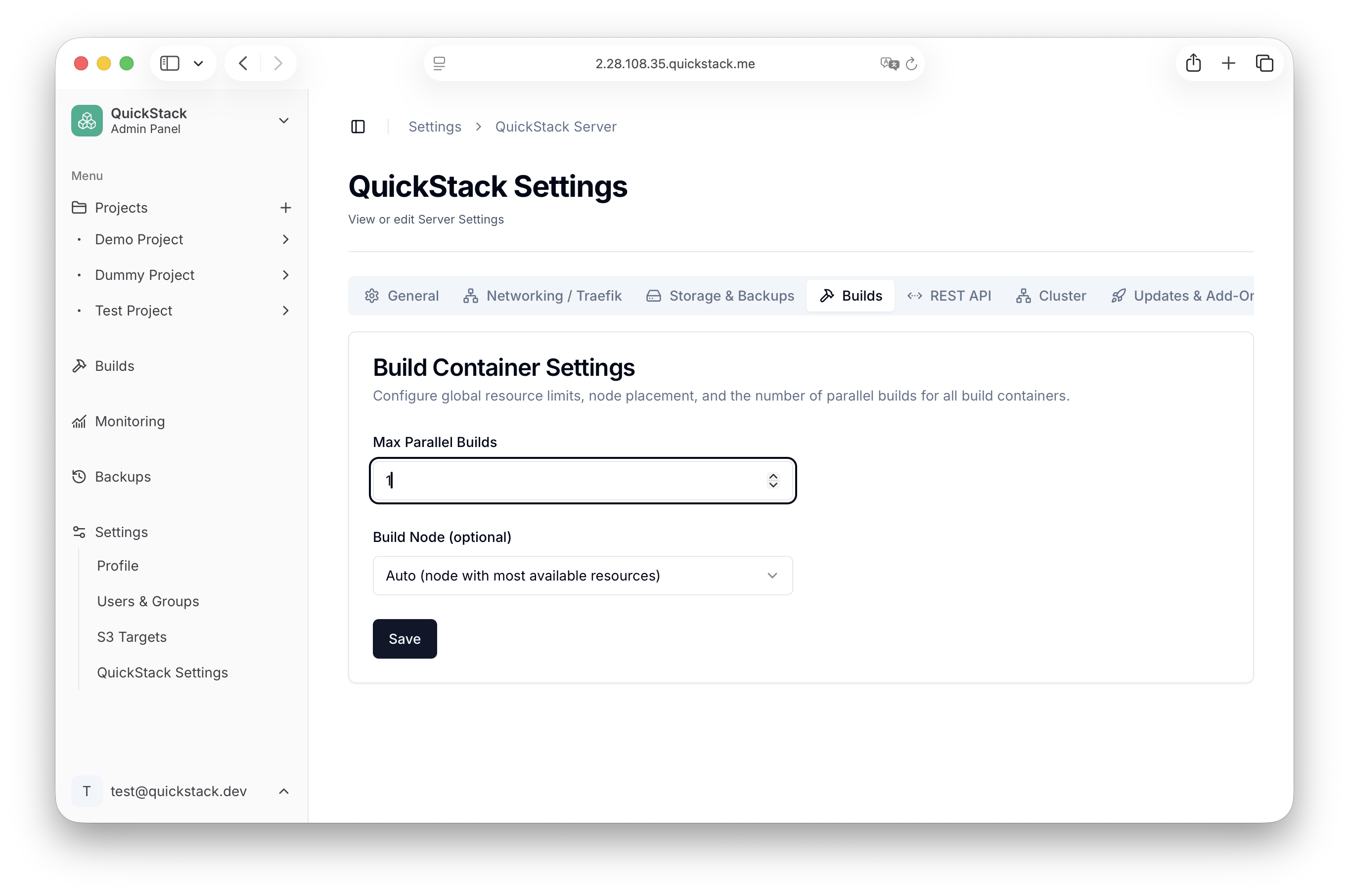
Higher values need more resources Each concurrent build runs its own container. On a small cluster, raising this value can compete with your running apps for CPU and memory.
Build Node
The Build Node dropdown determines which cluster node schedules build containers.
| Option | Behaviour |
|---|---|
| Auto (default) | QuickStack picks the node with the most available resources at build time. |
| k3s native | Builds run as standard Kubernetes jobs without node affinity constraints. Resource limits and reservations become available when this option is selected. |
| Specific node name | Build containers are pinned to the selected node. Nodes marked as not schedulable are shown but cannot be selected. |
Resource limits (k3s native only)
When Build Node is set to k3s native, you can configure per-build-container resource constraints:
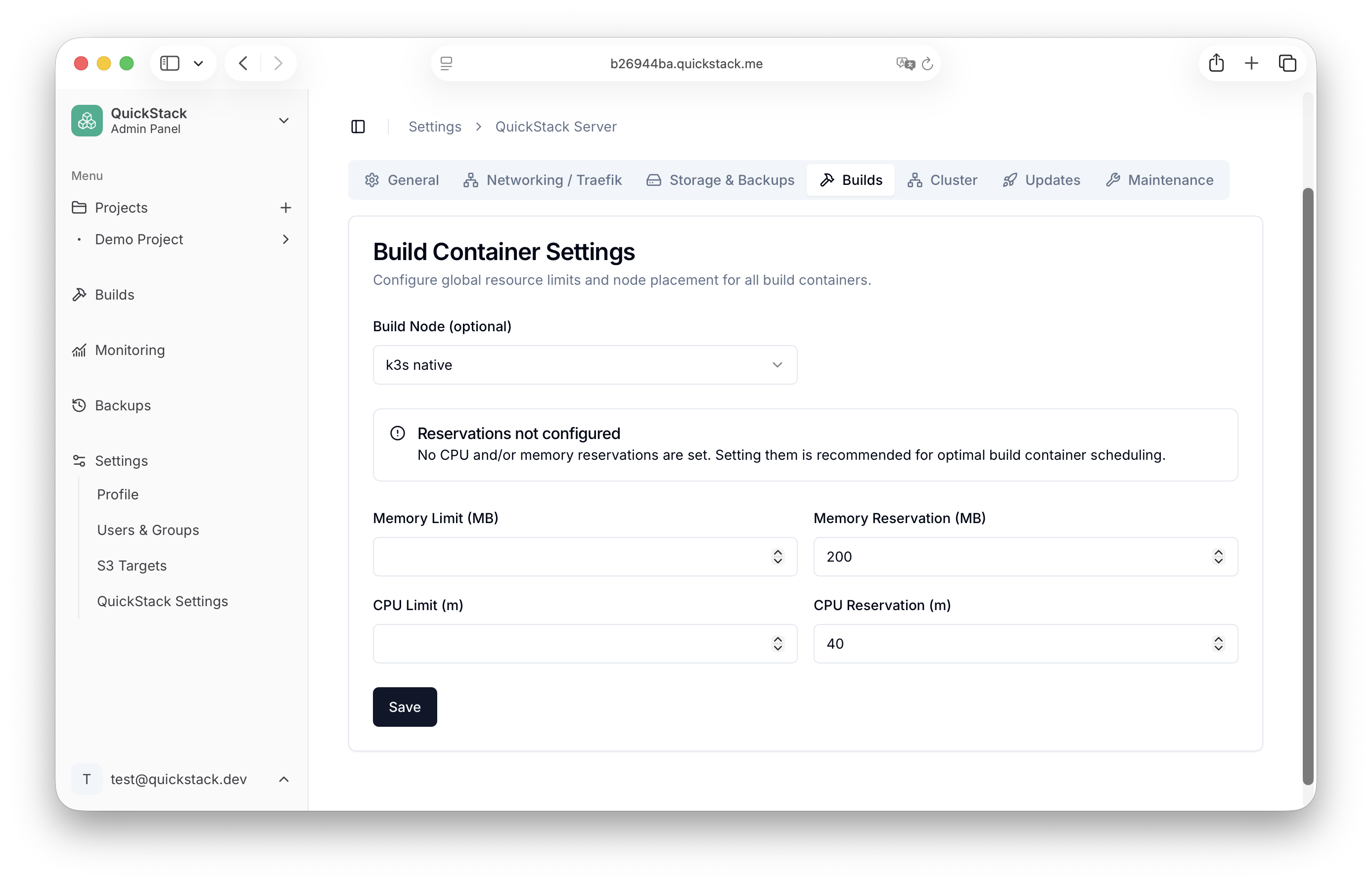
| Field | Unit | Description |
|---|---|---|
| Memory Limit | MB | Hard ceiling on memory. Build is killed if it exceeds this value. |
| Memory Reservation | MB | Soft request used for scheduling. Helps Kubernetes find a node with enough headroom. |
| CPU Limit | millicores (m) | Hard ceiling on CPU. 1000m = 1 vCPU. |
| CPU Reservation | millicores (m) | Soft request used for scheduling. |
Set reservations for predictable scheduling If no CPU and/or memory reservation for your apps is configured, Kubernetes may schedule build containers on already-overloaded nodes.